Import a recipe from a website
Send any recipe link from Safari to recipes.im. Works with food blogs, cooking magazines, and most recipe sites.
Most recipes online are on food blogs, cooking magazine sites, or paywalled cookbooks. The Safari share sheet on iPhone is the fastest way to send any of them into recipes.im — usually one tap.
- 1
Open the recipe in Safari
Browse to any recipe page on iPhone. Most food blogs work —
Serious Eats,Bon Appétit,NYT Cooking,BBC Good Food,Smitten Kitchen, personal blogs, anything with a public URL. - 2
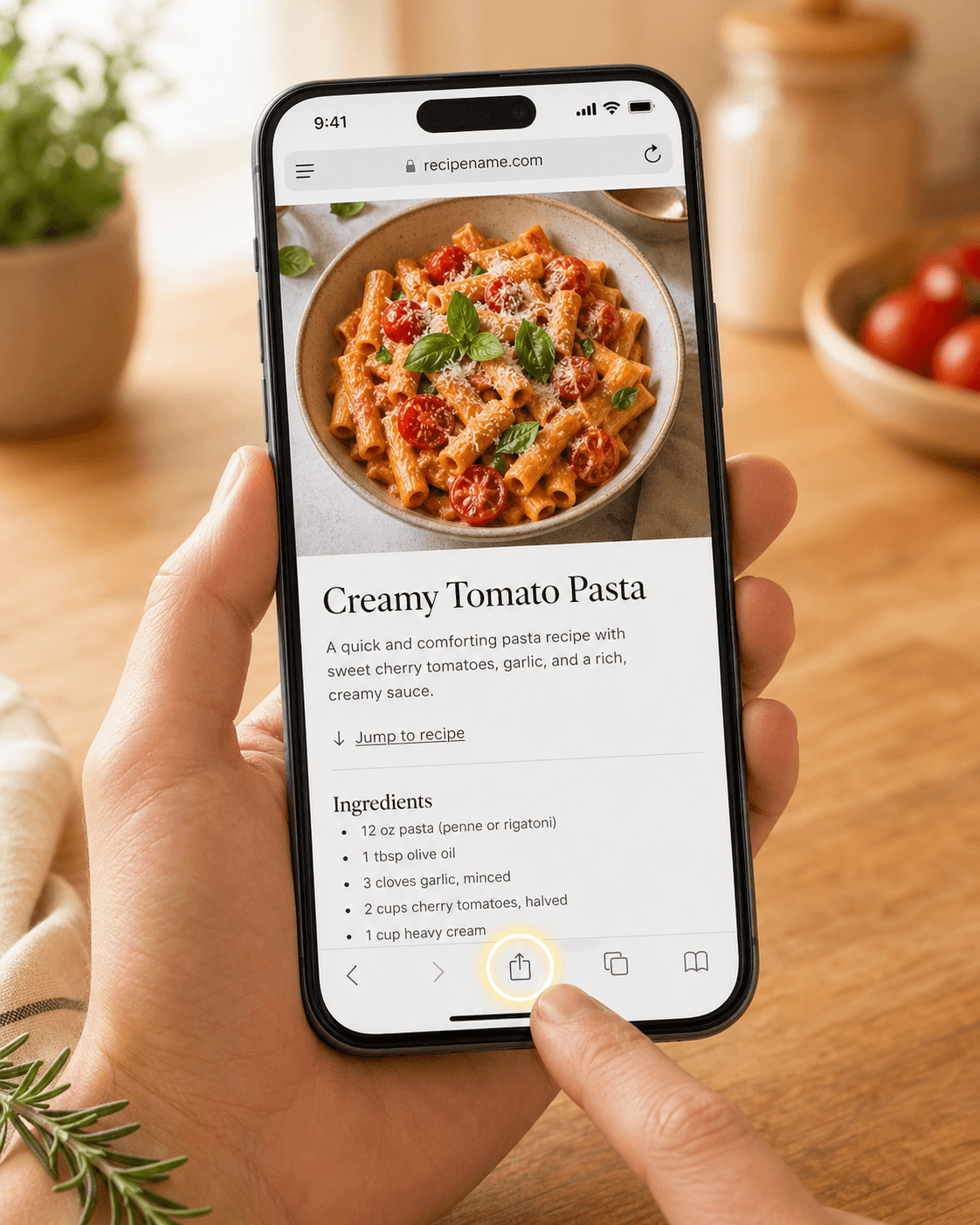
Tap the Share button
It's the square-with-arrow icon at the bottom of Safari (or the URL bar on iPad).
- 3
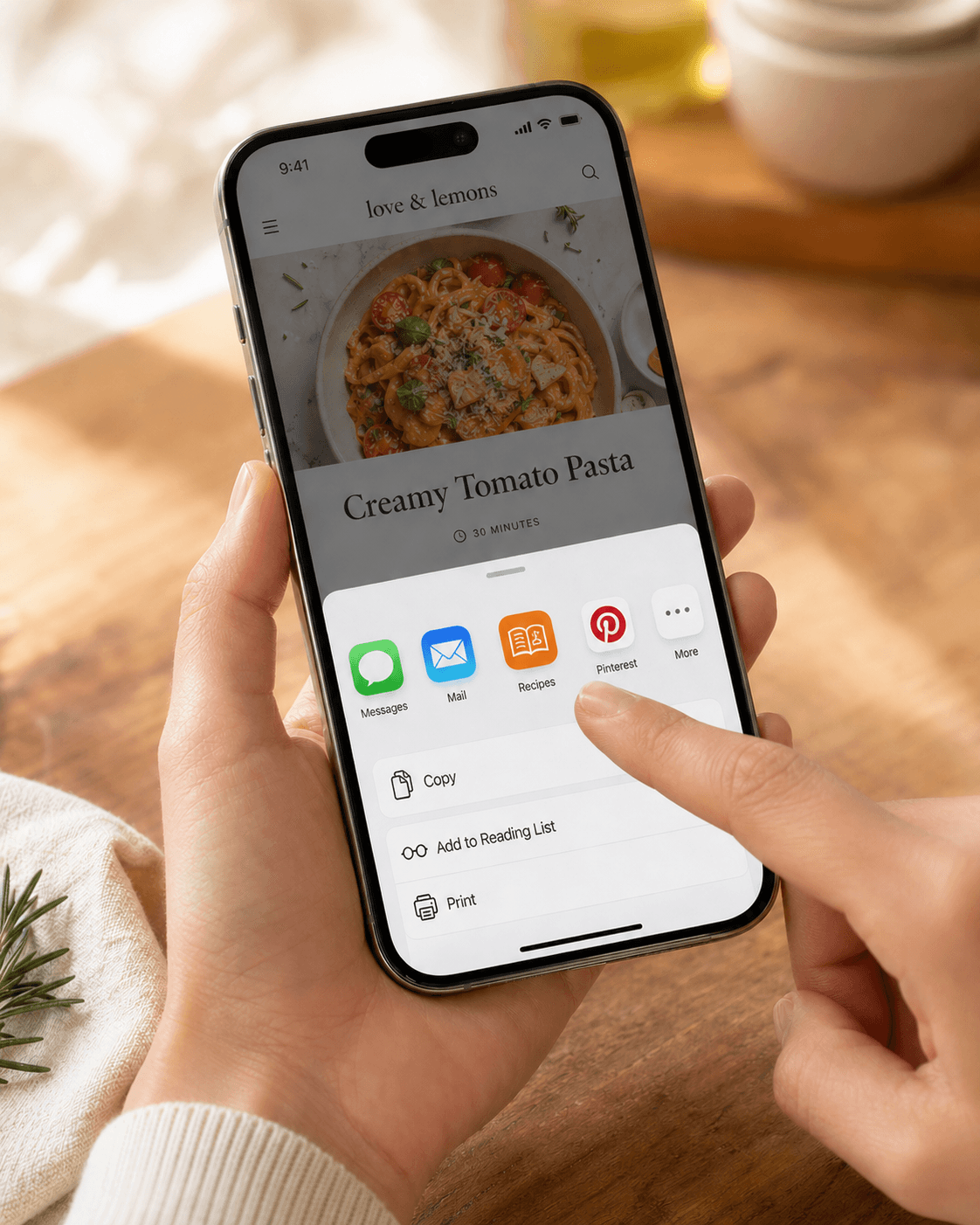
Choose Recipes from the share sheet
Scroll the row of app icons until you see the Recipes icon. Tap it.
- 4
Wait for the recipe to land
The app opens, shows a watercolor loading sticker, and parses the page. Most recipes are ready in 5-15 seconds. You can leave the app while it processes — the recipe lands in your library when it's done.
Troubleshooting
The page didn't extract anything useful
Some sites — usually heavy single-page apps or JS-rendered cookbooks — return a chrome-only page on first fetch. Open the failed recipe, tap the … menu, and choose Re-import from source. Re-running the pipeline often catches sites that 503'd or rate-limited on the first attempt.
If it still fails, copy the recipe text out of Safari and paste it as text instead. That bypasses the page-loading problem entirely.
I don't see the Recipes icon in the share sheet
Scroll the share-app row to the very end and tap More, then Edit Actions. Find Recipes and toggle it on. You can also drag it to the top of the list so it's always front and center.
Related guides
Send any Instagram Reel or post to recipes.im. We watch the video and read the caption to put together a clean recipe.
Share recipe text from Notes, Mail, Messages, ChatGPT, Claude, or any app where you can select text — recipes.im parses it just like a website.
A short tour of what happens between tapping Share and the recipe landing in your library — and the architectural choice that keeps it cheap to run.
Common problems and fixes — failed imports, missing ingredients, scrambled steps, sync issues.