Import a recipe from Instagram
Send any Instagram Reel or post to recipes.im. We watch the video and read the caption to put together a clean recipe.
Recipes on Instagram are split between the video and the caption — sometimes the full method is spoken aloud, sometimes it's only in the post text, sometimes both. We pull from all of them. Works in any language — see Recipes in any language.
- 1
Open the Reel or post in Instagram
On iPhone, open the Instagram app and tap into the recipe Reel or feed post you want to save.
- 2
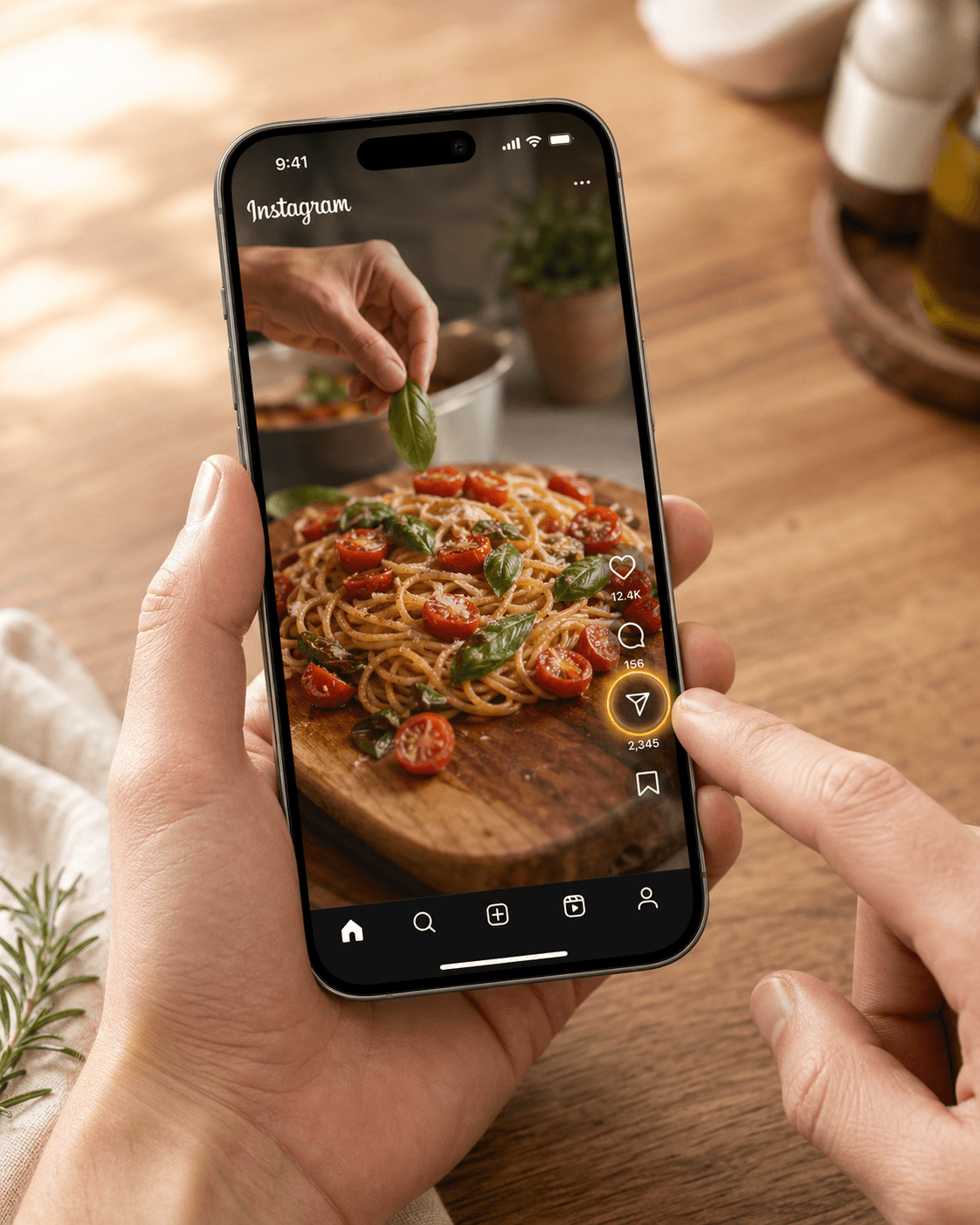
Tap the share arrow
Tap the paper-airplane icon under the post — that opens Instagram's share menu.
- 3
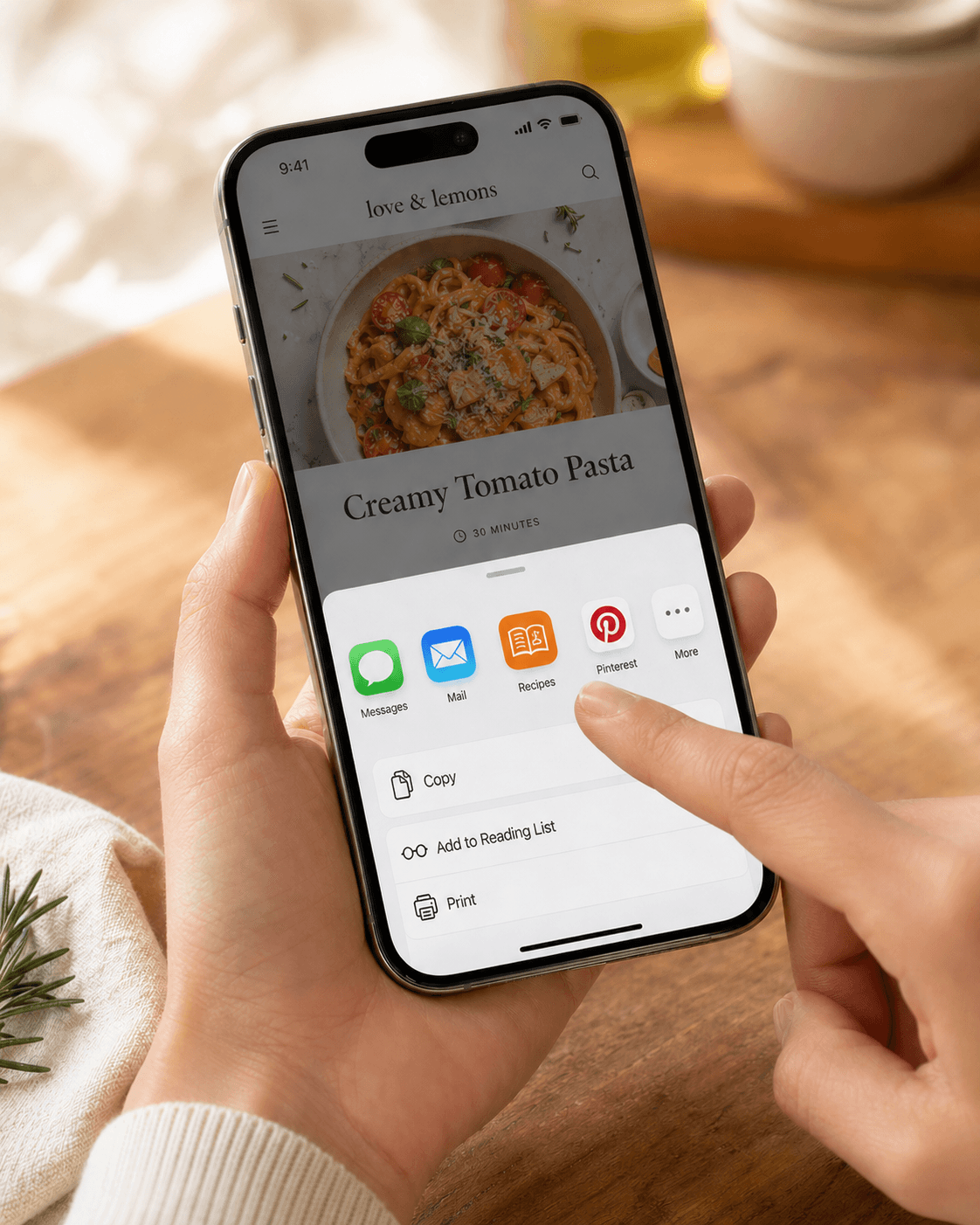
Choose **Share to…** then Recipes
Scroll past the friend list to the bottom row of app icons. Tap Share to… if you don't see Recipes immediately, then pick Recipes from the iOS share sheet.
- 4
Watch the import progress
Reels go through a multimodal pass that watches the video and reads the caption together. It usually takes 20-40 seconds — longer than a website, because we're processing video frames.
Troubleshooting
The recipe came out incomplete
Some Reels are quick demos with no real method — just vibes and a title. If the video doesn't actually walk through the steps and the caption doesn't fill them in, there's nothing reliable to extract.
Reels can't be re-imported automatically — re-share the Reel from Instagram if you want another attempt. Or try the creator's linked website if they have one (usually in their bio), or copy the caption text out and paste it as text.
Instagram opens its in-app browser instead of recipes.im
If you tapped a recipes.im link inside Instagram, it opens in Instagram's built-in browser by default — that's an Instagram setting, not our app. Tap the … menu in the in-app browser and choose Open in Safari to break out.
Related guides
Send any TikTok cooking video to recipes.im. We pull the spoken steps and the caption together.
Send any YouTube cooking video to recipes.im — full-length episodes, Shorts, or anything in between.
A short tour of what happens between tapping Share and the recipe landing in your library — and the architectural choice that keeps it cheap to run.
Common problems and fixes — failed imports, missing ingredients, scrambled steps, sync issues.